Xenara AI
2025
What if business banking was as easy as sending a message?
Xenara.AI is an AI-powered platform designed to revolutionize customer engagement. At the heart of the platform lies a highly adaptable Knowledge Base that allows Xenara's AI agents to respond intelligently to user queries by leveraging diverse sources of information.
How improving the full transfer flow cut support tickets by 42%
My role as Product Designer in this project was to develop and optimize the Knowledge Base, ensuring that it could efficiently store and manage various types of content, integrate with external systems, and allow users to configure the AI agents to meet specific brand and communication standards.
Problem area
When product friction became a retention problem
Small businesses were drowning in data scattered across tools and spreadsheets. Without clear insights, they made slow and reactive decisions that led to costs and misses opportunities. For us, it led to support to tickets, low adoption, and clients losing trust in the product.
When product friction became a retention problem
Problem 2
It delayed payments, affecting business cash flow
Problem 3
It hurt business owners trust, making them doubt the app
Design decision 01
Speeding up payments to reduce drop-offs
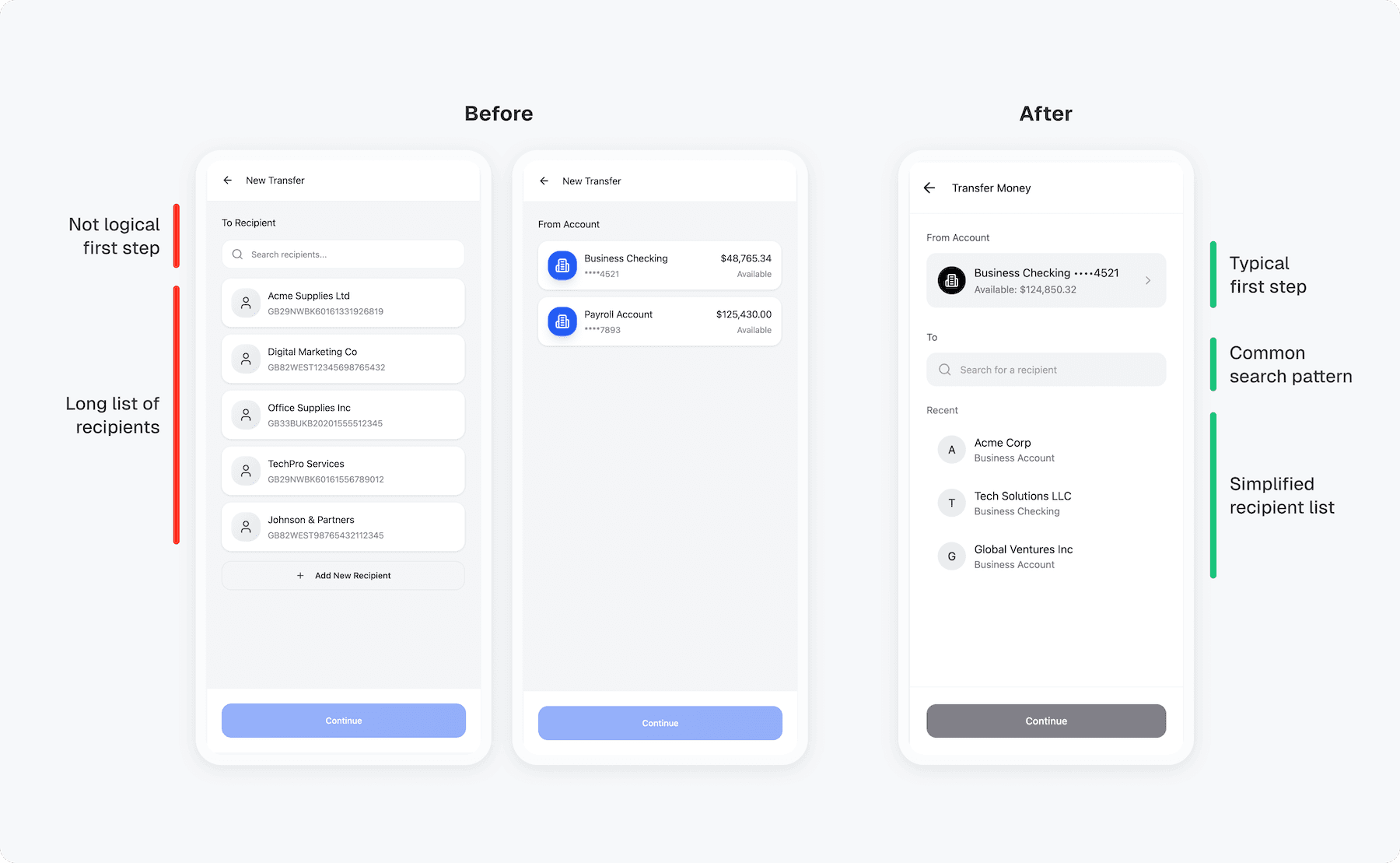
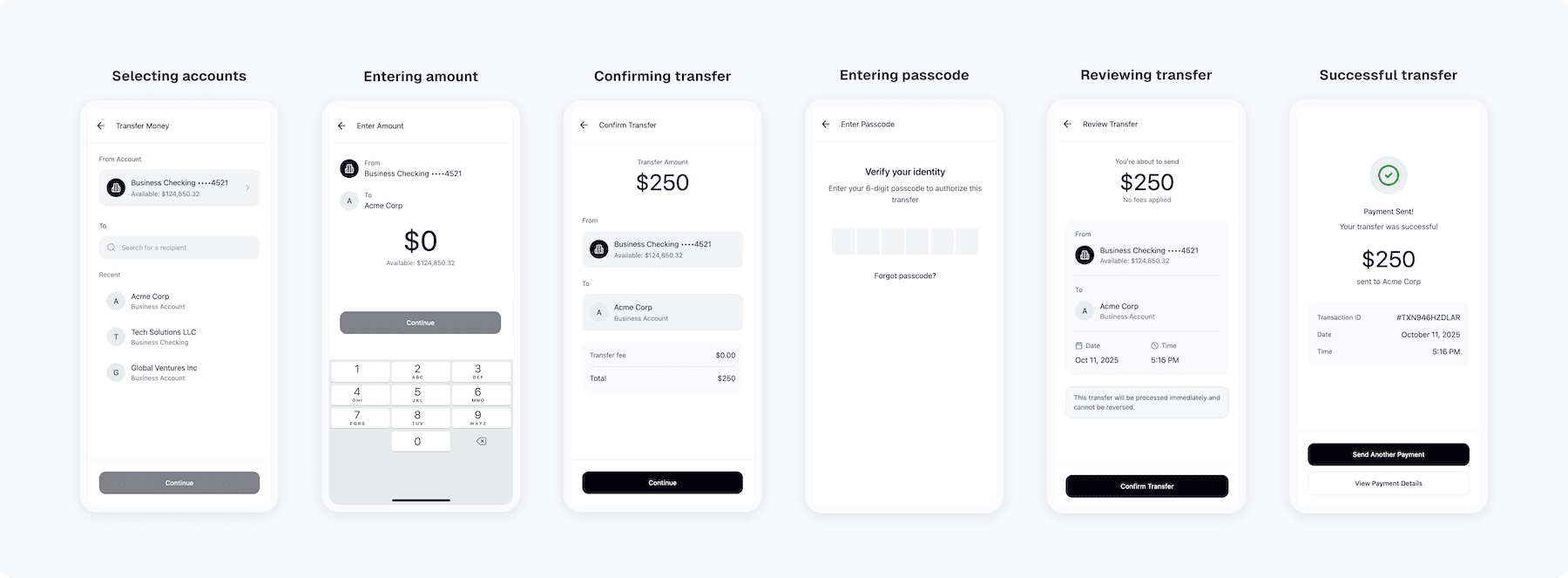
Most drop-offs happened mid-payment when business users had to reselect accounts and confirm twice. I combined those steps into one clear summary with smart defaults and live balances to speed this up for users and lighten our support team.
Selecting account and recipient
Design decision 02
Reducing errors with smarter confirmations
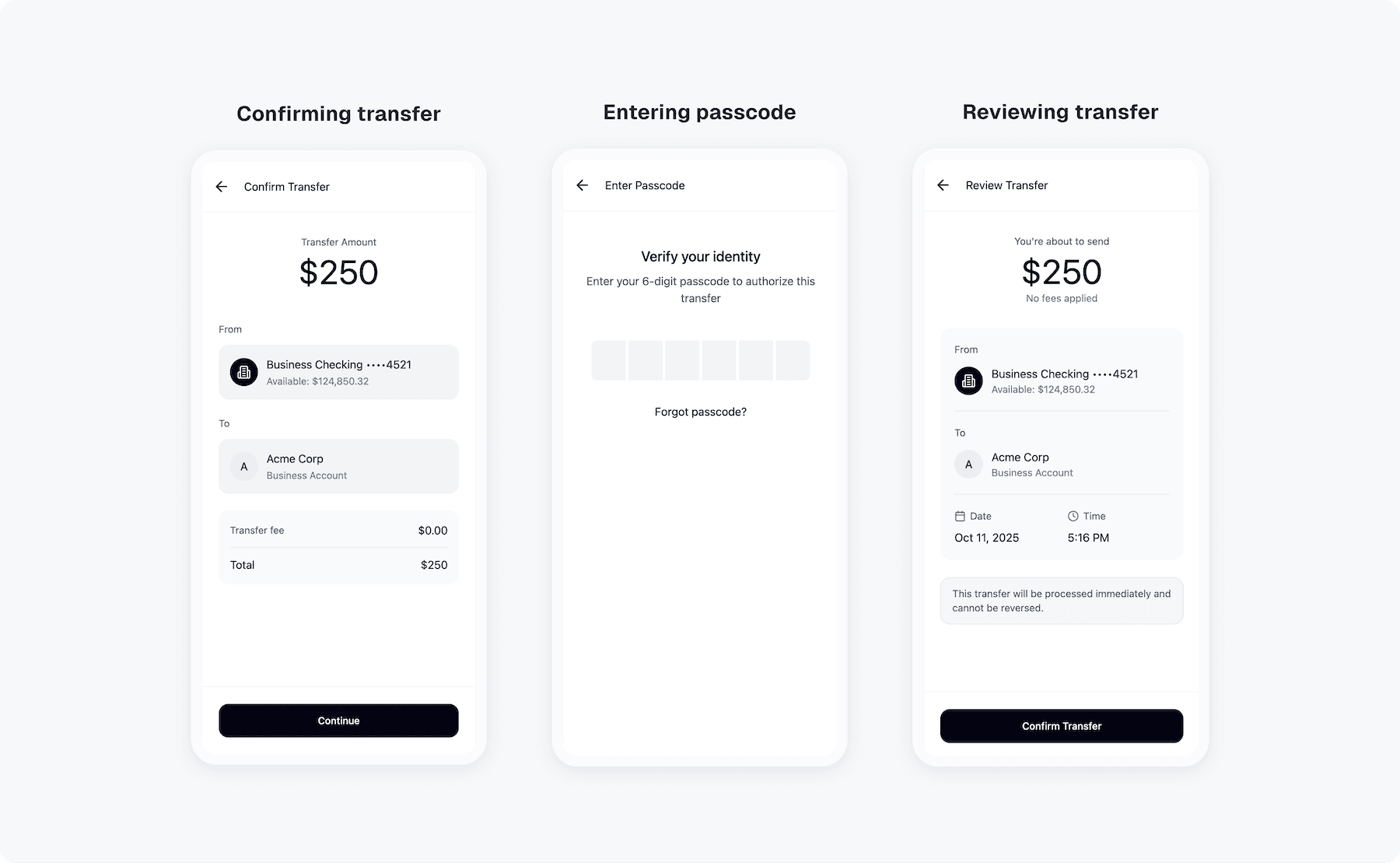
Business users often sent or approved payments in a hurry. The confirmation page missed key details they didn’t always check, leading to errors and rework. I redesigned it to clearly show account, amount, and recipient, and added a final double-check screen to save time and prevent costly mistakes.
Confirming and reviewing transfer
Design decision 03
Making transfer status clear after sending
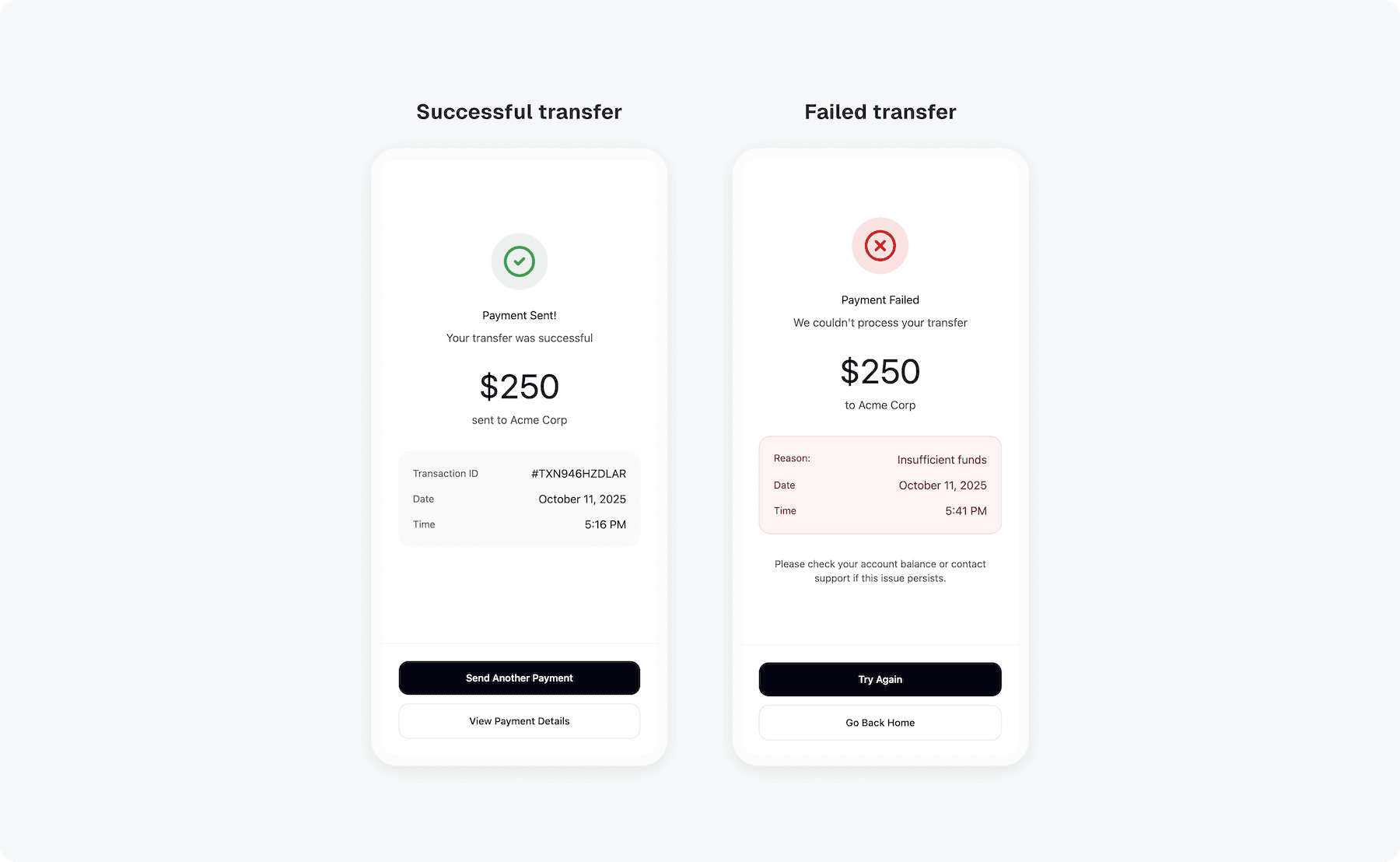
After sending a transfer, business users weren’t sure if it went through or failed. The feedback came too late, creating anxiety and extra support tickets. I introduced instant success and error states with clear next steps, helping users feel confident their money was sent.
Confirmation screen
Retrospective
Increased transfer completion by 32%
Business owners spent less time managing transfer and felt more confident using mobile banking on the go. The new flow became one of the main reasons users upgraded to premium plans.
“Before the update, I used to double-check every transfer on desktop because I didn’t trust the app. Now it’s the opposite. I send everything from my phone. It’s fast, clear, and I know exactly what’s happening.”